
Microsoft 365 Price Changes July 2026: What Australian Businesses Need to Know
If your business relies on Microsoft 365, the Microsoft 365 price increase Australia scheduled for July 2026 deserves your immediate attention. Whether you are running a small professional services firm in Newcastle, managing a multi-site operation across the Hunter Region, or scaling a growing team on the Central Coast, the upcoming licensing changes will affect your IT budget in ways that require proactive planning rather than reactive scrambling at renewal time. This post breaks down exactly which plans are affected, how much more you can expect to pay, and, most importantly, what you can do right now to minimise the impact.

AFFECTED PLANS: Which Microsoft 365 Plans Are Affected by the July 2026 Price Rise?
The July 2026 pricing adjustment affects the full suite of Microsoft 365 commercial plans available in Australia. The plans most commonly used by small and medium-sized businesses in the Hunter Region and Sydney metropolitan area include:
- Microsoft 365 Business Basic: cloud-only productivity at the entry level
- Microsoft 365 Business Standard: the most widely adopted mid-tier plan for Australian small and medium enterprises (SMEs)
- Microsoft 365 Business Premium: the security-enriched tier with advanced threat protection and Intune device management
- Microsoft 365 Apps for Business: desktop application licences without the full productivity cloud services
- Enterprise plans (E1, E3, E5): applicable to larger organisations Australia-wide
Microsoft has signalled that annual commitment pricing will see the most meaningful adjustments, while month-to-month plans, which already carry a premium, will also be revised upward. Businesses currently on legacy pricing arrangements or grandfathered agreements should verify their contract terms with their licensing provider before the July 2026 effective date.
COST IMPACT: How Much More Will Australian Businesses Pay From July 2026?
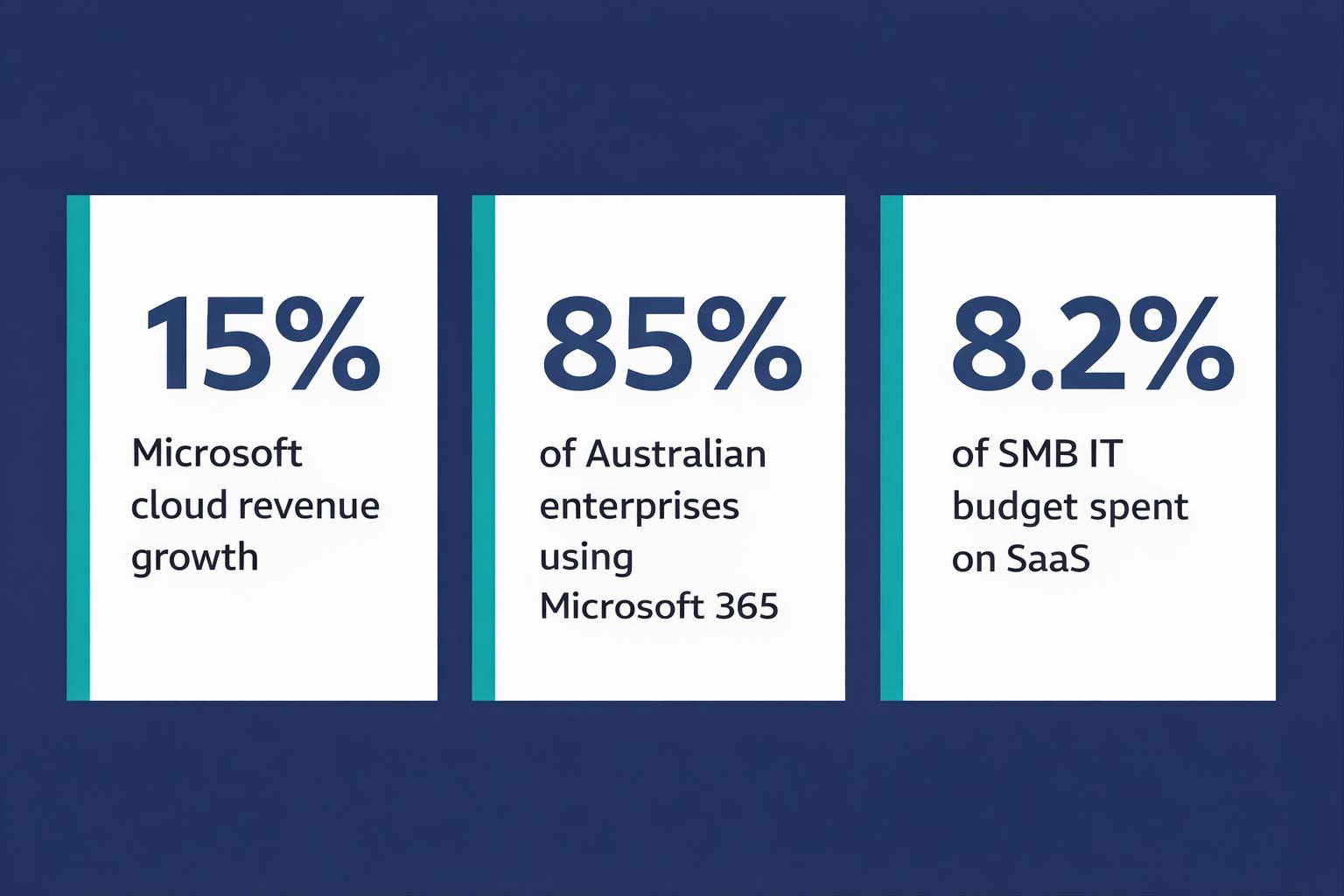
The financial impact is already being felt ahead of the formal July 2026 adjustment. Microsoft, 2026 data confirms that Microsoft 365 Business Premium licensing costs have increased by up to 15% for Australian SMBs renewing annual agreements in the 2025-26 financial year, with the Australian dollar (AUD) to United States dollar (USD) exchange rate adding further pressure to local pricing.
To put that in practical terms: a Newcastle-based business with 25 users on Business Premium that was paying approximately $900 per month will be looking at closer to $1,035 per month under revised pricing. Across a 12-month term, that is an additional $1,620 per year for the same licence entitlements, with no added features to justify the increase from a pure cost perspective.
For larger organisations across the Central Coast or Sydney with 100 or more seats, the annual cost difference moves into five figures. This makes licence rationalisation and tier optimisation a genuine budget priority, not just a nice-to-have exercise.
“A 15% increase on a per-seat licence may appear modest in isolation, but multiplied across dozens or hundreds of users and compounded by currency pressures, the cumulative budget impact is significant for Australian businesses operating on tight margins.”
REASONS FOR INCREASE: Why Is Microsoft Increasing Prices Again in Australia?
Microsoft has cited several drivers behind the continued upward adjustment to its Australian pricing. Understanding these factors helps businesses contextualise the change and plan accordingly.
Currency fluctuation: Microsoft prices its products globally in USD and converts to local currencies at periodic intervals. The sustained softness of the AUD against the USD throughout 2025 and into 2026 has directly inflated the Australian dollar cost of cloud licences without any underlying product change.
Artificial intelligence (AI) integration: Microsoft has embedded Copilot AI capabilities progressively across the Microsoft 365 stack. The investment in large language model (LLM) infrastructure, data centre expansion across Australian Azure regions, and ongoing research and development costs are being partially recouped through licensing adjustments.
Infrastructure and compliance investment: As ASD, 2026 confirms, cloud adoption among Australian organisations reached 87% in 2025-26, with Microsoft 365 remaining the dominant productivity platform across both small and medium business (SMB) and enterprise segments. Meeting the compliance and data sovereignty expectations of this growing user base requires ongoing capital investment from Microsoft.
Security feature expansion: The same ASD, 2026 report highlights that credential compromise affecting cloud-based email and productivity platforms accounted for the largest single category of reported cyber incidents among Australian businesses in 2025-26. Microsoft’s response has been to deepen security tooling within higher-tier plans, adding cost to the platform that is reflected in revised pricing.
TIER UPGRADE DECISION: Is Upgrading to a Higher Tier Plan Now Worth It Before Prices Rise?
This is one of the most common questions Adept IT Solutions hears from businesses across Newcastle and the broader Hunter Region as they approach renewal. The answer depends on your current security posture and what you are already paying for separately.
Consider Microsoft 365 Business Premium as an example. At first glance, the price increase makes upgrading seem counterintuitive. However, Business Premium bundles several capabilities that many Australian SMBs are already purchasing as standalone solutions:
- Microsoft Defender for Business (advanced endpoint protection)
- Microsoft Intune (mobile device management and endpoint compliance)
- Azure Active Directory (now Microsoft Entra ID) Premium Plan 1 (conditional access and multi-factor authentication (MFA) policies)
- Microsoft Purview Information Protection (data classification and sensitivity labelling)
- Azure Information Protection Plan 1
If your business is currently paying separately for any combination of these tools, consolidating into Business Premium before the Microsoft 365 price increase Australia in July 2026 and locking in an annual term may represent genuine cost efficiency. A structured licence audit will clarify whether consolidation stacks up for your specific user profile and security requirements.
LICENCE AUDIT PROCESS: How to Audit Your Microsoft 365 Licences and Eliminate Waste Before Renewal
Licence waste is one of the most consistent findings in any Microsoft 365 environment audit. Businesses across Sydney, the Central Coast, and the Hunter Region are frequently paying for licences assigned to departed employees, over-provisioned users with feature sets they never access, or duplicate subscriptions that have accumulated over time without review.
A structured licence audit before your renewal date follows a clear process:
Step 1: Pull Your Active Licence Report
From the Microsoft 365 admin centre, export a full list of assigned licences against active users. Cross-reference this against your current employee records and identify any licences assigned to accounts that are disabled, deleted, or inactive for more than 90 days.
Step 2: Analyse Feature Utilisation
Microsoft 365 Usage Reports (available in the admin centre under Reports) show which applications and services each user has accessed over the preceding 30 or 90 days. Users with Business Standard licences who are only accessing email and Teams may be candidates for downgrade to Business Basic, reducing your per-seat cost.
Step 3: Identify Shared Mailboxes and Service Accounts
Shared mailboxes in Microsoft 365 do not require a paid licence in most configurations. Many organisations unknowingly assign full licences to shared mailboxes, reception inboxes, or system notification accounts. Reclaiming these licences alone can reduce seat counts meaningfully across organisations with 20 or more users.
Step 4: Review Add-On Subscriptions
Microsoft 365 environments frequently accumulate add-on subscriptions including extra Exchange Online Archiving, standalone Power BI Pro licences, Project Online, and Visio Plan licences. Verify that each add-on is actively used and that it is not already included in a higher-tier plan you are considering.
Step 5: Model Your Renewal Options
With a cleaned-up licence count and accurate feature utilisation data, model three scenarios: renewing at your current tier, downgrading lower-utilisation users, and upgrading to consolidate security tools. Present the three-year total cost of ownership (TCO) for each option before committing to renewal terms ahead of July 2026.
LOCAL SUPPORT: How Adept IT Solutions Helps Hunter Region and Newcastle Businesses Manage M365 Costs
Adept IT Solutions works with businesses across Newcastle, Lake Macquarie, the Hunter Region, the Central Coast, and Sydney to take the complexity out of Microsoft 365 licensing decisions. Our team understands the specific challenges facing Australian SMBs navigating price increases, currency-driven cost pressures, and evolving security obligations under frameworks including the Essential Eight and the Privacy Act 1988.
Our Microsoft 365 managed service includes proactive licence auditing built into our regular account reviews, so you are never caught off-guard at renewal. We identify waste, right-size plans to actual usage, and ensure your licensing posture aligns with your cybersecurity obligations, particularly given the credential-based threats that the Australian Signals Directorate (ASD) has identified as the leading incident category for Australian businesses in 2025-26.
We also help businesses assess whether the July 2026 price changes create an opportunity to consolidate security tooling under Business Premium, eliminating duplicated spend on standalone endpoint protection or device management solutions that are already included in higher-tier licences.

The July 2026 Microsoft 365 price adjustment is not a reason to panic, but it is a clear signal that unreviewed licensing arrangements will cost Australian businesses more than they should. A structured audit completed before your renewal date can recover meaningful savings that offset the increase entirely for many organisations. The businesses that plan ahead will be the ones that maintain productivity investment without absorbing avoidable cost increases.
If you are a business in Newcastle, the Hunter Region, the Central Coast, or anywhere across Australia looking to get ahead of the July 2026 Microsoft 365 pricing changes, Adept IT Solutions is ready to help you audit your licences, model your renewal options, and implement a licensing strategy that protects both your budget and your security posture. Reach out to our team today to book your no-obligation Microsoft 365 licence review.
FREQUENTLY ASKED QUESTIONS
When exactly do the Microsoft 365 price changes take effect in Australia?
The revised Microsoft 365 pricing for Australian commercial customers is scheduled to take effect in July 2026. Businesses renewing annual agreements before this date should confirm their exact renewal terms with their licensing provider, as transition timelines can vary depending on when your current agreement expires and whether you are on a direct Microsoft agreement or a partner-managed subscription.
Can I lock in current pricing before July 2026 to avoid the increase?
In some cases, yes. Businesses with upcoming renewals may be able to lock in existing per-seat pricing by renewing their annual agreement before the July 2026 effective date. This strategy works best when you have already completed a licence audit to ensure you are not locking in inflated seat counts or features you do not use. Adept IT Solutions can help you assess whether early renewal makes financial sense for your specific situation.
How does the Microsoft 365 price increase affect Essential Eight compliance for Australian businesses?
The Essential Eight Maturity Model, maintained by the Australian Signals Directorate (ASD), includes patch management, multi-factor authentication (MFA), and application control as core requirements. Microsoft 365 Business Premium provides native tools that support compliance with several Essential Eight controls. If the price increase prompts a move to a lower-tier plan to save costs, businesses should carefully assess whether they are inadvertently removing security features that contribute to their Essential Eight compliance posture before making that change.
What is the best way for a small Newcastle business to reduce its Microsoft 365 costs ahead of July 2026?
The most effective approach combines a licence audit to remove unused or over-provisioned seats, a usage review to right-size remaining licences to actual feature consumption, and a consolidation assessment to determine whether any standalone security or productivity tools you are paying for separately are already included in a Microsoft 365 tier you are considering. Adept IT Solutions offers a structured Microsoft 365 licence review specifically designed for small and medium businesses across Newcastle, Lake Macquarie, the Hunter Region, and the Central Coast.
Get in touch with our team of IT experts today! You can contact us via phone at 1300 423 378 or email us at info@adept-it.com.au.

