
The November 2026 Microsoft 365 outage business continuity crisis exposed a stark truth: when a single cloud platform fails, entire organisations grind to a halt simultaneously. From 12 to 14 November 2026, a global Microsoft 365 disruption knocked out Outlook, Teams, Exchange Online and Copilot across more than 70 countries, according to CNBC’s November 2026 coverage. For Australian small and medium-sized businesses (SMBs) in Newcastle, the Hunter Region, the Central Coast and Sydney, the message is urgent: your current continuity plan almost certainly has critical gaps. This post identifies exactly seven of them and shows you how to close them before the next outage arrives.

What the November 2026 Outage Revealed About SMB Resilience
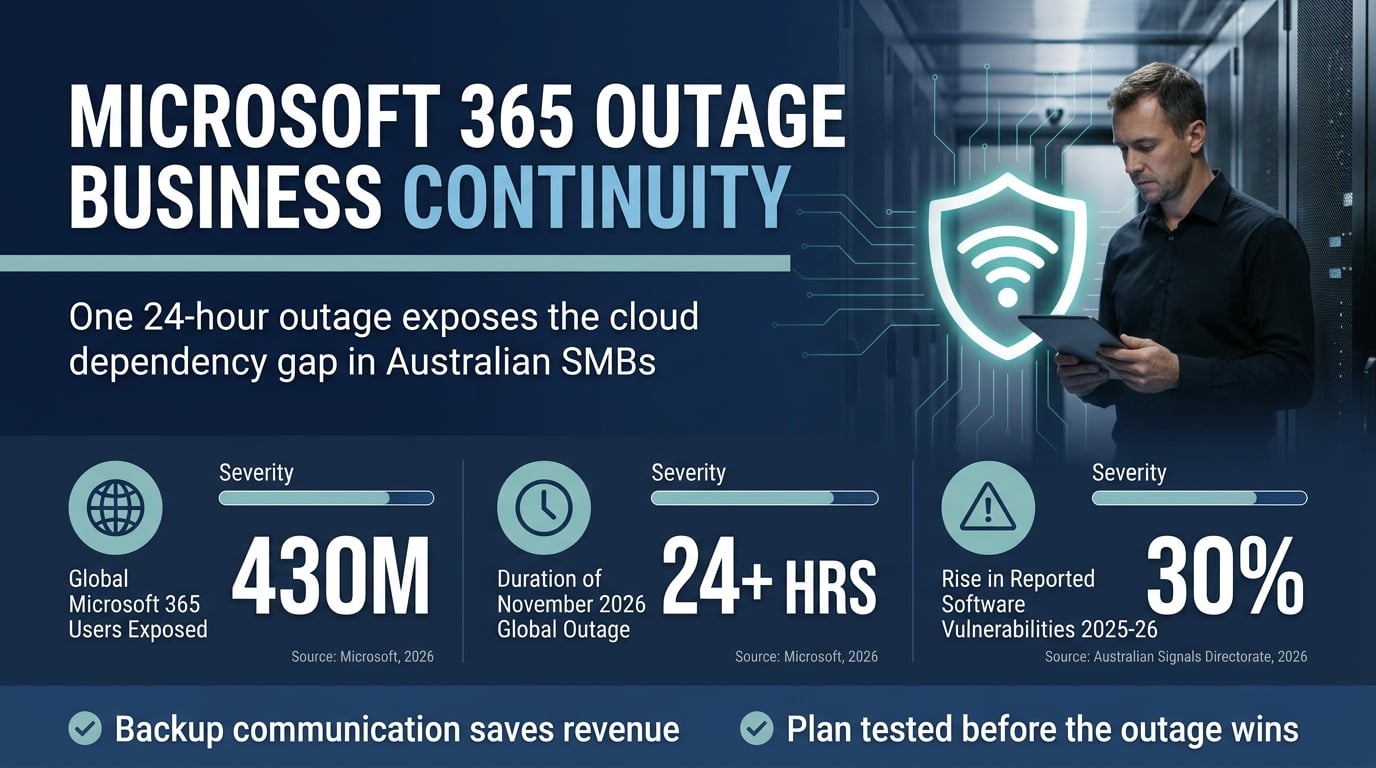
The scale of the November 2026 outage was difficult to overstate. Microsoft, 2026 confirmed the disruption ran for over 24 hours across more than 70 countries, caused by a gateway software defect that only triggered under peak load conditions combined with 14% of capacity being offline simultaneously. This was not a cyberattack. It was a latent technical fault that had been sitting undetected since July.
Consider the user base affected. Approximately 430 million people use Microsoft 365 globally, meaning hospitals, schools, government offices and businesses were all hit simultaneously, as confirmed by Microsoft, 2026. For Australian SMBs relying on Teams for internal communications and Outlook for client correspondence, over 24 hours of complete darkness is not a minor inconvenience. It is a potential revenue, reputation and compliance emergency.
The event also arrived in a broader context of rising platform-level risk. Australian Signals Directorate, 2026 reported that publicly reported software vulnerabilities increased by 30 per cent during the 2025-26 financial year. Even without malicious intent, the conditions for platform disruption have never been more prevalent. For more context on how platform-level changes affect Australian SMBs directly, see our recent post on Microsoft 365 changes SMBs must act on.
Why Single Cloud Platform Dependency Is Your Biggest Business Risk
Most Australian SMBs have consolidated their email, video conferencing, file storage, and collaboration into a single Microsoft 365 tenancy. The logic makes sense: lower cost, unified administration, familiar interfaces. However, this consolidation creates a single point of failure at precisely the platform level where you have zero control. When Microsoft experiences an outage, your helpdesk tickets, your client emails, and your internal chat all stop at exactly the same moment.
This dependency risk is well-documented in business continuity planning frameworks. The NIST Cybersecurity Framework specifically calls for organisations to identify critical dependencies and implement resilience controls around them. For SMBs, this translates to a simple question: if Microsoft 365 is unavailable for 24 hours, what exactly do your staff do? If the honest answer is “very little,” you have a serious gap. Our analysis of third-party platform breach risks explores this dependency problem in greater depth.
The 7 Microsoft 365 Outage Business Continuity Gaps Australian SMBs Must Fix
Gap 1: No Documented Outage Response Plan
Most SMBs have a cybersecurity incident response plan but no cloud outage response plan. These are entirely different documents. An outage response plan should define who is notified first, what manual workarounds are activated, and who communicates with clients. Without it, staff improvise, decisions are inconsistent, and the business looks unprepared to its customers. Document your response steps before the next disruption, not during it.
Gap 2: No Backup Email Communication Channel
When Outlook fails, most businesses simply cannot send or receive email. This is the most damaging gap in an email downtime scenario. A backup communication channel should be established, tested and known to all staff before an outage occurs. Options include a secondary email platform, a pre-configured SMS broadcast tool, or a secure messaging application. The critical point: staff must know the channel exists and know how to use it, without needing to access their Microsoft 365 account to find out. For guidance on secure alternatives, see our post on encrypted messaging app security risks.
Gap 3: Relying on Teams as Your Only Voice and Meeting Platform
Microsoft Teams went dark alongside Outlook during the November 2026 event, eliminating both internal chat and voice calls simultaneously. Businesses that had migrated entirely from traditional telephony to Teams-based calling found themselves unable to reach clients or suppliers by phone. A backup Voice over Internet Protocol (VoIP) solution or a retained mobile contact directory provides a critical bridge. We cover this risk in detail in our guide to VoIP security risks for Australian SMBs.
Gap 4: No Independent Cloud Backup for Microsoft 365 Data
Microsoft’s shared responsibility model is widely misunderstood by Australian SMBs. Microsoft protects the infrastructure; protecting your data is your responsibility. During an outage or a ransomware event, your SharePoint files, Teams chat history and Exchange mailboxes may be inaccessible or damaged. An independent cloud backup and recovery solution, hosted outside the Microsoft ecosystem, ensures your data remains accessible regardless of what happens to the primary platform. This is a core pillar of sound business continuity planning for any SMB.
Gap 5: No Supplier and Client Communication Protocol
When your business goes dark, your clients and suppliers experience uncertainty. Without a pre-planned communication protocol, your business may appear unresponsive or unreliable. A simple proactive outage notification process, delivered via SMS or a pre-scheduled social media post, tells stakeholders you are aware of the issue and actively managing it. This protects your reputation even when the technology lets you down. Building this protocol into your disaster recovery plan for SMBs is a low-cost, high-value investment.
Gap 6: Untested Business Continuity and Disaster Recovery Plans
Many SMBs have a business continuity plan on paper that has never been tested in practice. A plan that has not been exercised is not a plan; it is a document. Regular tabletop exercises and simulated outage drills reveal the gaps that only become visible under pressure. Testing should include validating that backup communication tools actually work, that staff can locate offline documentation, and that leadership can make decisions without digital tools available. Our post on Joint Cyber Command Centre NSW SMB actions outlines how government guidance is shifting toward mandatory resilience testing for businesses of all sizes.
Gap 7: No Service Level Agreement Accountability with Cloud Providers
Many SMBs accept cloud vendor agreements without understanding the service level agreement (SLA) provisions, particularly around outage compensation and notification obligations. Microsoft’s standard SLA guarantees 99.9% uptime for Microsoft 365, which still permits approximately 8.7 hours of downtime per year. The November 2026 outage exceeded 24 hours. Reviewing your SLA, understanding what remedies are available, and factoring vendor accountability into your continuity planning are essential steps that most SMBs skip entirely.
Backup Communication Channels for When Teams and Outlook Go Dark
Establishing backup communication channels is not complex, but it requires deliberate pre-planning. The most effective approach combines three layers: a secondary email provider for critical client correspondence, a mobile-first messaging platform for internal team coordination, and a printed or offline-accessible contact directory for key stakeholders.
The offline contact directory is frequently overlooked. If your staff directory lives in Microsoft 365, it disappears the moment the platform goes down. A simple PDF, printed sheet or mobile-stored contact list ensures that your team can reach each other and your top clients regardless of platform availability. This costs nothing to implement and can save significant revenue during an extended outage.
For businesses relying on secure file sharing at work, it is equally important to ensure critical documents are accessible from a secondary location, not just SharePoint or OneDrive, which are both part of the Microsoft 365 ecosystem.
How to Strengthen Your Microsoft 365 Outage Business Continuity Plan Through Testing
Testing your plan is the single most important action you can take after reading this post. A structured tabletop exercise, run quarterly, simulates a Microsoft 365 outage and walks your leadership team through each response step. The exercise should answer: who is the first contact? What communication goes out to clients within the first hour? What work can still be completed manually or via alternative tools?
Beyond tabletop exercises, a full technical test of your cloud backup and recovery solution should be conducted at least every six months. This means actually restoring data from backup, not simply verifying that backups are running. Many SMBs discover during a live outage that their backup solution was not configured correctly, or that recovery times are far longer than expected. The ISO 22301 Business Continuity Standard requires organisations to test and validate recovery procedures regularly, and this discipline applies equally to SMBs operating in the Microsoft 365 environment.
Consider also reviewing your patch management processes. Latent software defects like the gateway fault that triggered the November 2026 outage can often be detected earlier with rigorous patch validation cycles. Our post on patch management for small business outlines a practical approach aligned with the Australian Cyber Security Centre (ACSC) guidance.

How Adept IT Solutions Keeps Newcastle and Hunter Region Businesses Running
Adept IT Solutions works with SMBs across Newcastle, Lake Macquarie, the Hunter Region, the Central Coast and Sydney to design and implement business continuity frameworks that survive real-world platform failures. Our managed IT service includes independent cloud backup, secondary communication channel configuration, documented outage response plans, and regular testing cycles coordinated by our helpdesk team.
We also assist businesses with compliance obligations under the Australian Privacy Act 1988 and the Essential Eight framework, both of which include requirements around data availability and recovery capability. Our team stays current with evolving guidance from the ACSC and aligns your continuity posture accordingly.
“The November 2026 Microsoft 365 outage was a wake-up call for every Australian SMB still operating without a tested business continuity plan. Dependence on a single cloud platform, without backup channels and recovery documentation, is not a risk management strategy. It is a liability.”
The November 2026 Microsoft 365 outage business continuity failures demonstrated across thousands of organisations share a common thread: none of the gaps were technically complex to fix. They required deliberate planning, documented procedures, tested tools and a managed IT partner who understood the risks before the crisis arrived. For SMBs in Newcastle and across the Hunter Region, closing these seven gaps is not optional. It is the minimum standard for responsible business operations in 2026. To find out how Adept IT Solutions can help you build a resilient continuity posture, contact our team today.
Frequently Asked Questions
Q: What caused the November 2026 Microsoft 365 outage and how long did it last?
A: The outage ran from 12 to 14 November 2026, lasting over 24 hours across more than 70 countries. Microsoft confirmed it was caused by a gateway software defect introduced in July that only triggered under peak load conditions combined with 14% of capacity being simultaneously offline. It was not caused by a cyberattack or AI agents.
Q: Does Microsoft 365 back up my business data automatically?
A: Microsoft 365 is not a backup solution. Under the shared responsibility model, Microsoft protects the platform infrastructure while the responsibility for backing up your business data, including email, SharePoint files and Teams content, sits with your organisation. An independent cloud backup and recovery solution outside the Microsoft ecosystem is essential for sound business continuity planning.
Q: What backup communication tools should Australian SMBs use during a Microsoft 365 outage?
A: Effective backup communication options include a secondary email provider, a mobile-first messaging platform not dependent on Microsoft infrastructure, an independent VoIP solution, and an offline or mobile-stored contact directory covering key clients, suppliers and staff. The critical requirement is that all staff know how to access and use these tools before an outage occurs, without needing to log in to Microsoft 365 to find the instructions.
Q: How often should an SMB test its Microsoft 365 outage business continuity plan?
A: Best practice, aligned with the ISO 22301 Business Continuity Standard, recommends a tabletop outage exercise at least quarterly and a full technical backup recovery test at least every six months. Each test should validate that backup tools are functional, staff understand their roles, and recovery time objectives are achievable in practice. SMBs in managed IT arrangements with a provider like Adept IT Solutions can have these exercises coordinated and documented as part of their ongoing service.
Get in touch with our team of IT experts today! You can contact us via phone at 1300 423 378 or email us at info@adept-it.com.au.

